.svg)

Get started Alarmy
by scanning the QR code
by scanning the QR code

%201.svg)

You flip your phone to silent, tuck it under the pillow, and then the doubt creeps in. Is that morning alarm actually going to wake you, or did you just mute it too?
Yes, your iPhone's built-in Clock alarm will go off on silent. It also rings through Do Not Disturb and standard Focus modes, because Apple treats alarms separately from ordinary notifications. The catch is that third-party alarm apps and one specific Sleep setting play by different rules, so the full answer depends on how your phone is set up.
Two things can quietly change this. Sleep Focus paired with a Health app schedule can swap in a softer wake-up sound, and any third-party alarm app follows stricter conditions. Both are covered below, so you can go to bed without second-guessing your alarm.
Apple built the Clock app so that an alarm counts as more than another notification. That is why muting your phone doesn't mute your morning.

Flip the physical switch to silent and your texts, emails, and app pings all go quiet. Your Clock alarm does not. It rings at full alarm volume no matter where that switch sits. So silent mode does not affect the alarm on an iPhone.
Do Not Disturb hides calls and notifications while you sleep. Alarms sit outside that filter. Set one in the Clock app and it will sound even with DND running all night.
Focus modes are tailored versions of Do Not Disturb, so the same rule holds. A Work, Personal, or Reading Focus won't silence a Clock alarm. If your alarm ever fails while a Focus is active, the cause is usually a third-party app, not the built-in one. When an iPhone alarm goes missing, it helps to run through the five things worth checking first before you blame the mode.
Most "my alarm didn't ring" stories trace back to one of two things. Neither is a bug.
Sleep Focus is different from the others. When you build a sleep schedule in the Health app, iOS creates its own Wake Up alarm with a gentler, gradually rising sound. That gentleness is intentional, meant to ease you awake rather than jolt you. Trouble starts when this Wake Up alarm and a manual Clock alarm overlap. The two can conflict, and the softer one may be all you hear. If your mornings feel too quiet, check whether a Health schedule is running alongside your regular alarm.
Here is the trap that catches almost everyone. The buttons on the side of your phone often control media, not your ringer and alarm. So your alarm can read as "on" and still play barely above a whisper. Open Settings, tap Sounds & Haptics, and drag the Ringtone and Alerts slider up.
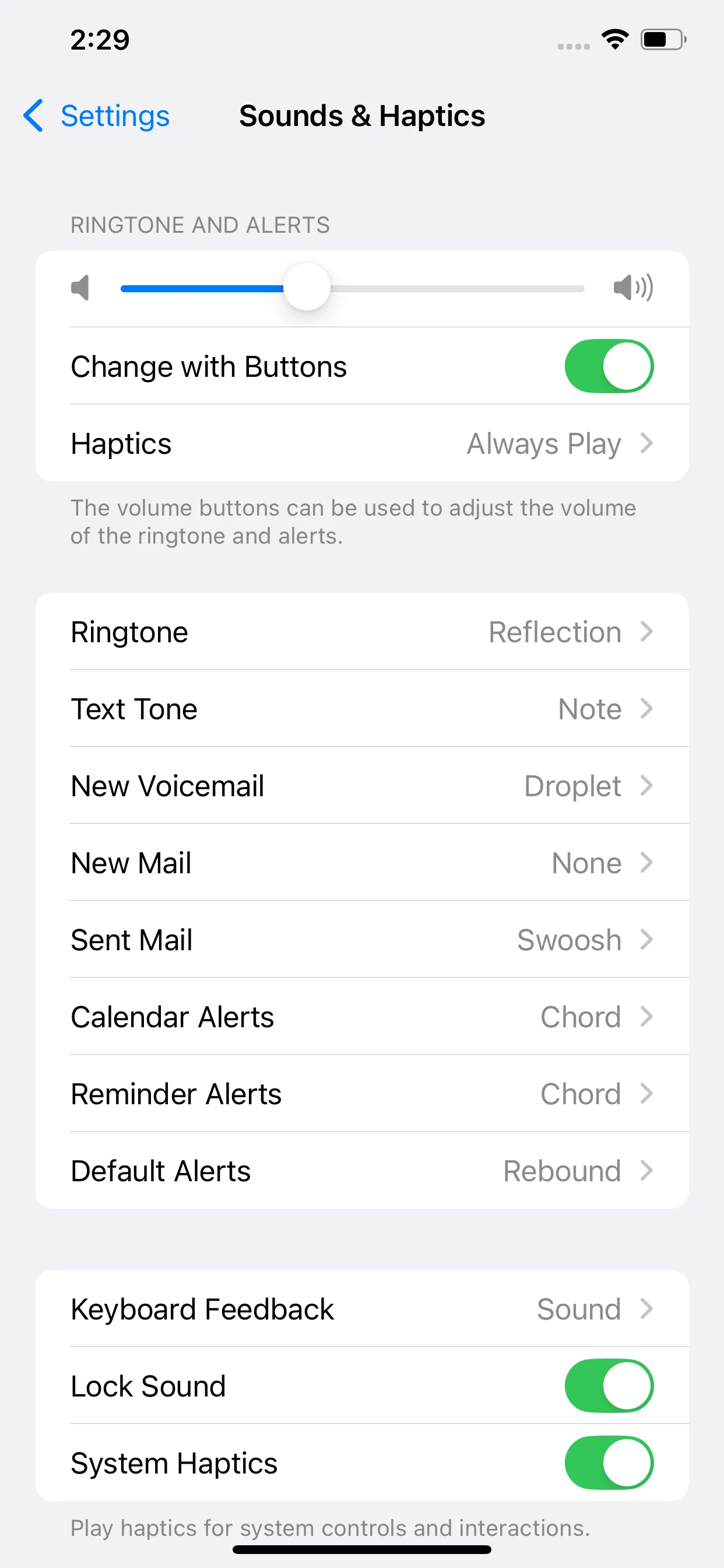
If the alarm still sounds faint at full tilt, a too-low volume setting is usually the real reason.
Third-party alarm apps don't get the same privileges as Apple's Clock. Under silent or DND they can stay quiet if the phone decides to pause them in the background. Work through these four steps and that risk mostly disappears.
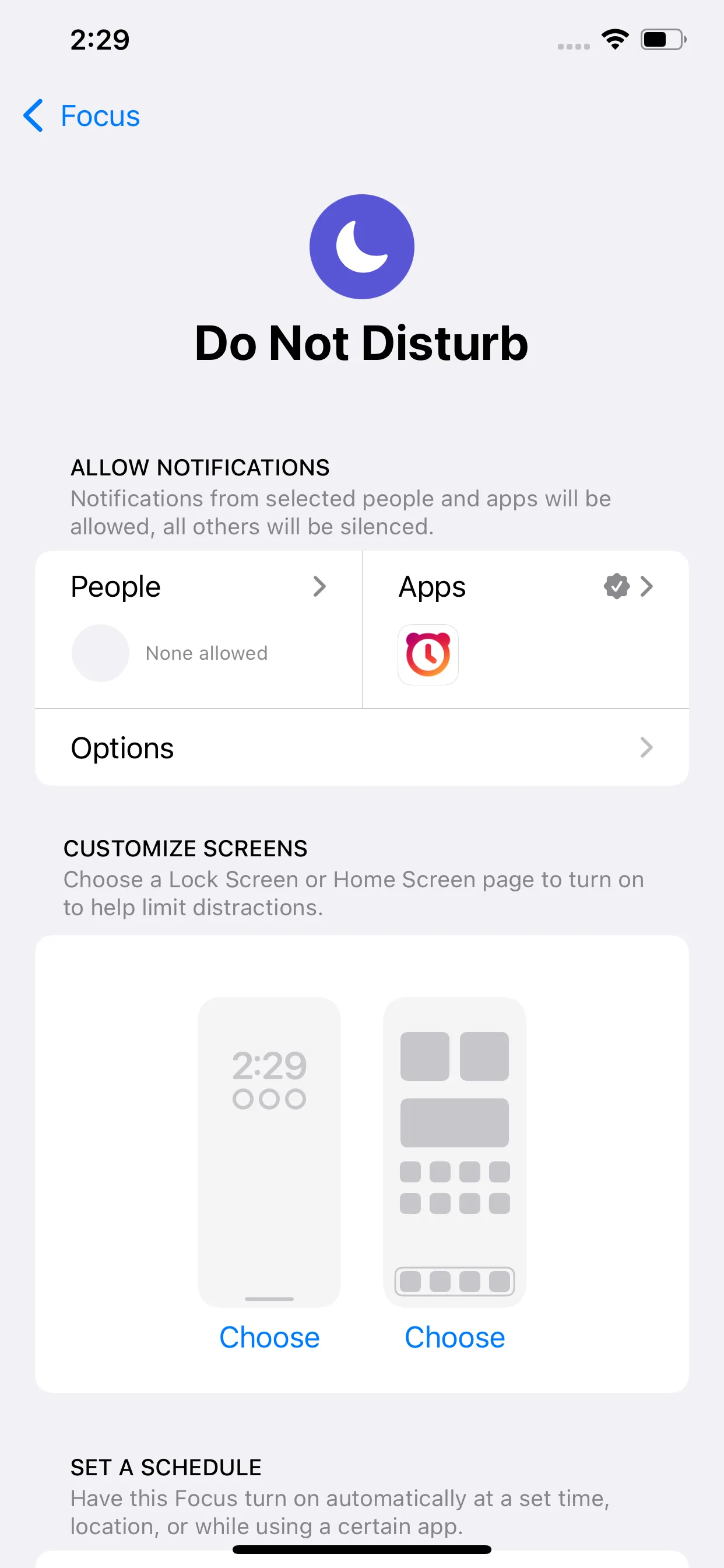
Get those right and a mission-based app like Alarmy will ring even on silent or DND. Its wake-up missions push things further, asking you to scan a set photo, shake the phone, or solve a quick math problem before the sound stops. When the app is configured correctly, that mission is what forces a genuine wake-up instead of a half-asleep dismissal.
Android handles all of this much like the iPhone. The stock Clock alarm rings on silent and Do Not Disturb without complaint. Third-party apps are the ones that need the right permissions to survive the night.
Give the alarm app permission to run in the background, disable battery optimization for it, and let it send full alerts. Miss one of those and Android may quiet the app while you sleep. If your phone still stays silent at wake-up time, here is what to do when an Android alarm won't go off. The bottom line holds on both platforms: the built-in alarm rings when muted, and everything else just needs the right setup.

Yes. The built-in Clock alarm rings at alarm volume even with the silent switch on. Only a near-zero ringer volume or a misconfigured third-party app will keep it quiet.
It will. Do Not Disturb filters your notifications and calls, not your alarms. A Clock alarm sounds normally with DND active all night long.
Standard Focus modes don't block the Clock alarm. When an alarm fails during a Focus, it is usually a third-party app that isn't allowed in that Focus, or Sleep Focus swapping in a softer Wake Up sound.
No. Silent mode and alarm volume are separate settings. But the side buttons often adjust media instead of the ringer, so check Settings and Sounds & Haptics if the alarm seems faint.