.svg)

Get started Alarmy
by scanning the QR code
by scanning the QR code

%201.svg)

You set the alarm the night before. You even double-checked the time. Then you wake up an hour late, grab your phone, and the alarm is sitting there, switched on, completely silent.
It's a frustrating start to the day, but here's the reassuring part: an Android alarm not going off is almost never a broken phone. Nine times out of ten, it's a setting quietly working against you.
Below, you'll see the five usual suspects behind a missed or whisper-quiet alarm, then a step-by-step fix for each. At the end, there's a deeper fix for the mornings when even a loud alarm doesn't move you.
Before you change anything, it helps to know what actually went wrong. Most missed alarms trace back to one of these five causes.
Android keeps separate volume sliders for media, ringtone, and alarm. So you can blast music at full volume and still have your alarm set near zero. That split catches a lot of people off guard and is a top reason an android alarm volume low problem sneaks up on you.
This is the cause that's most specific to Android. To save power, the system can put apps in a "Restricted" state and shut them down in the background. If your Clock app gets restricted, it may not fire on time, or at all.
Do Not Disturb usually lets alarms through by default. But that exception can be turned off, especially if you've tweaked settings or use a custom mode. When it's off, your alarm stays muted along with everything else.
Left your earbuds or a speaker paired overnight? Your alarm may be playing at full volume, just into a device across the room or still in its case. From the bed, it sounds like nothing rang at all.
Sometimes the alarm itself is the problem. A vibrate-only setting, a "None" sound, or a gentle tone can all be too weak to wake you. This is a common reason behind a samsung alarm not working the way you expected.
Here's the fix list, in order. Work through them top to bottom and test your alarm after each one. One quick note first: menu names and paths vary by manufacturer and One UI or Android version, so your exact wording may differ slightly.
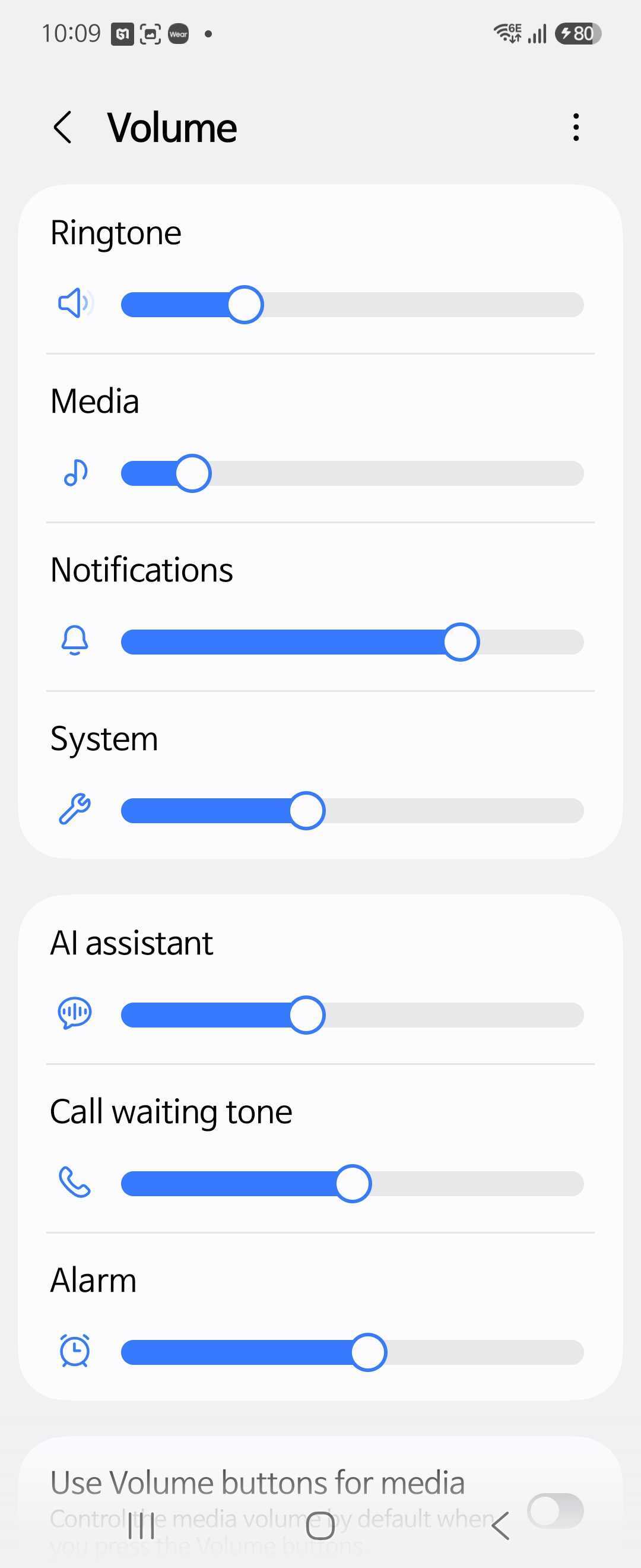
Open Settings, then Sounds and vibration, then Volume. Find the Alarm slider specifically and drag it up. This is the fastest fix for an android alarm volume low issue, and it's separate from your media and ringtone levels.
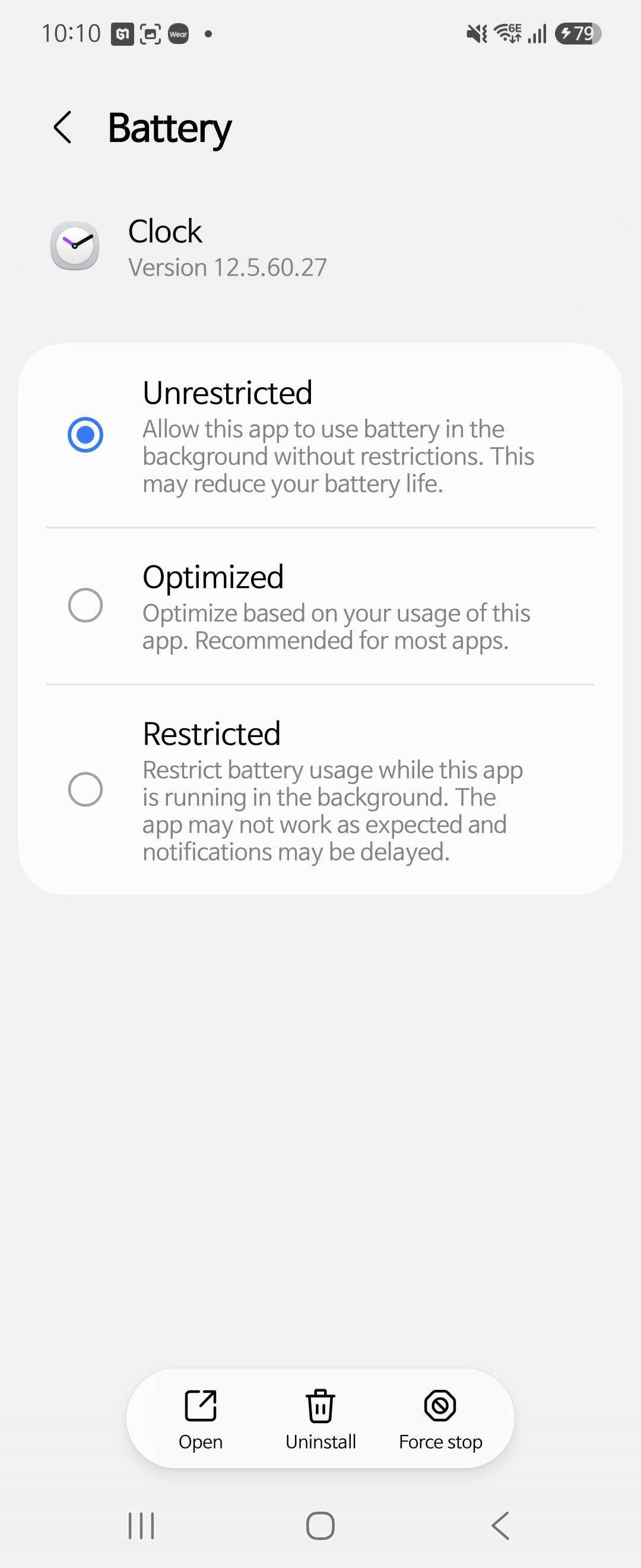
Go to Settings, then Apps, then your Clock app, then Battery. Choose Unrestricted, and exclude the app from battery saver and Adaptive Battery. This keeps the system from stopping your alarm in the background, which is the single most important step here.
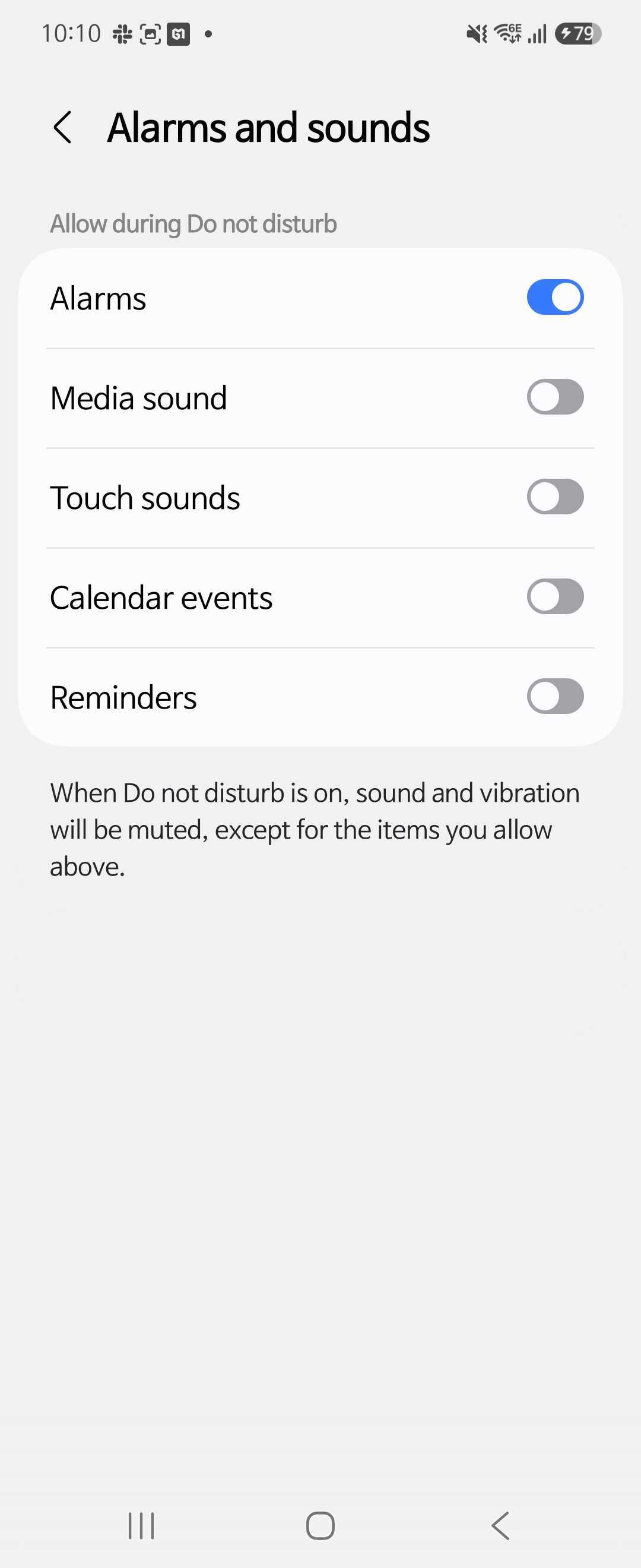
Open your Do Not Disturb settings and look for the exceptions or "Allowed" section. Make sure Alarms is switched on. With this enabled, your alarm rings even when the rest of your phone stays quiet overnight.
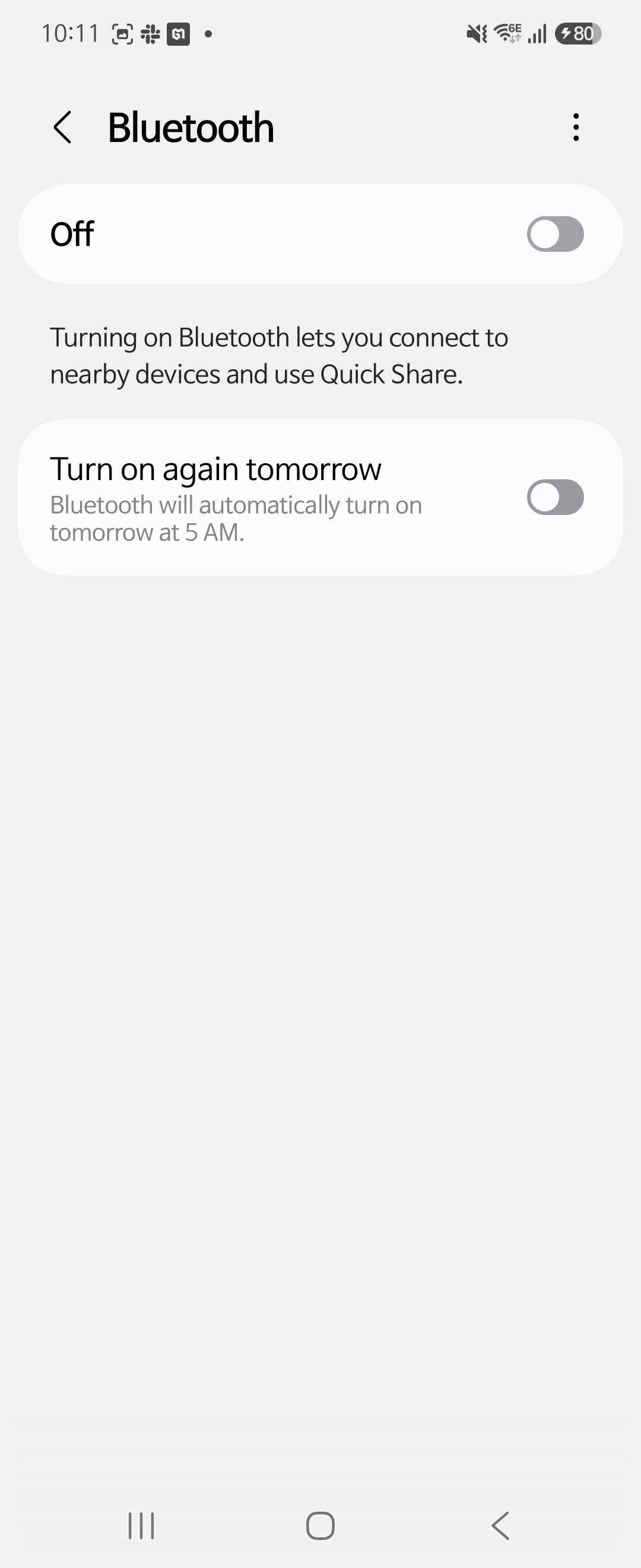
Swipe down to your quick settings and turn Bluetooth off, or unpair any earbuds and speakers. Then set a test alarm a minute ahead. If it suddenly rings out loud from the phone, you found your culprit.
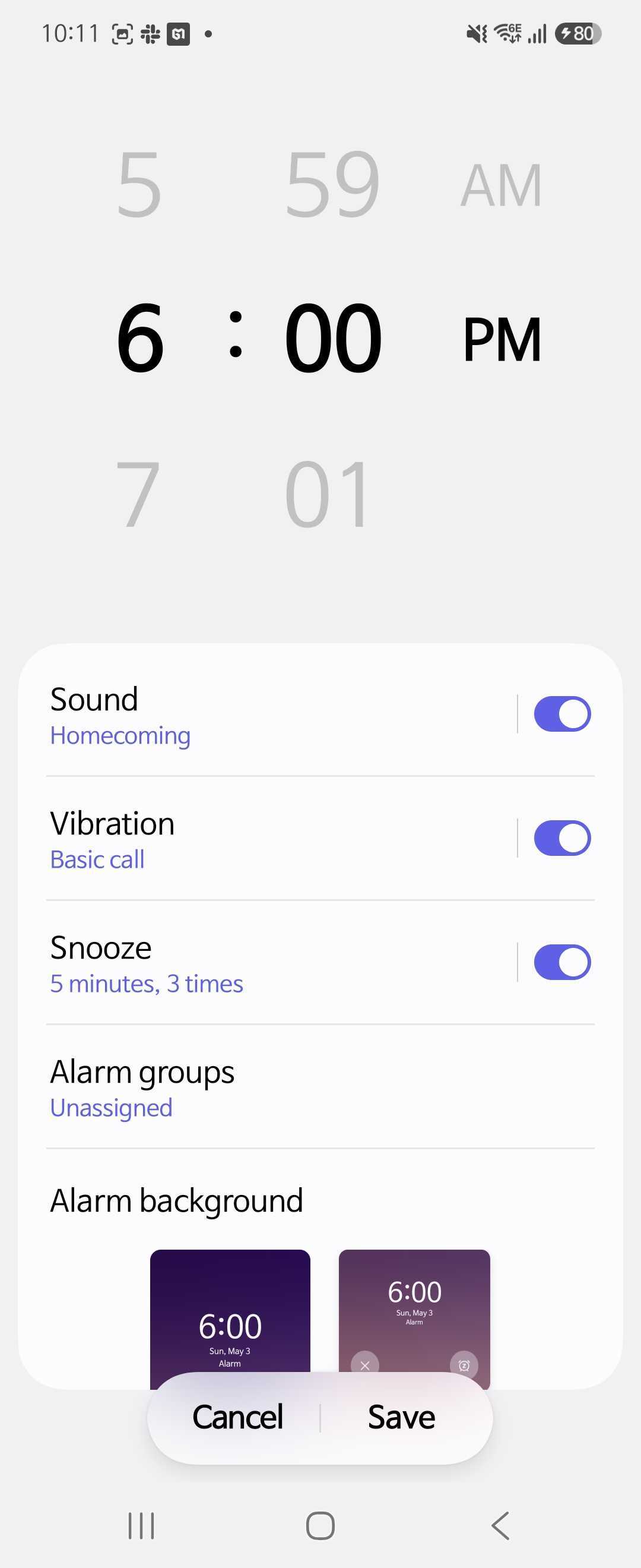
Open the Clock app and edit your alarm. Confirm the sound is an actual tone, not "None" or vibrate-only, and bump up the alarm's own volume if it has one. Then restart your phone and update the Clock app to clear any lingering glitch.
Say you've maxed the volume, unrestricted the battery, and fixed every setting above. Some mornings, the alarm still doesn't get you out of bed.
That's not a settings failure. The built-in alarm auto-stops after a while, caps its own volume, and is far too easy to silence while you're half-asleep. Many people reach over, tap dismiss, and have zero memory of it. If that sounds familiar, here's why heavy sleepers can't wake up to a normal alarm no matter how loud it gets.
When more decibels stop working, you need something that asks for an action, not just attention. That's the idea behind a mission alarm in the Alarmy app.
The sound can escalate on its own, building louder over time independent of your media or ringtone volume, so a quiet phone can't keep it down. To turn it off, you complete a mission first: take a photo of a set spot, shake the phone, or solve a quick math problem. Because your brain has to actually engage, you can't dismiss it on autopilot and slide back to sleep.
There's also a quieter reason to lean on a dedicated alarm app here. Because Android behaves so differently across manufacturers, OS versions, and app versions, making an alarm fire reliably every single time is genuinely hard, and the same goes for the built-in alarm. That is why reliability and trust matter just as much as a long feature list. Alarmy tests on more than 100 real devices and has spent over 13 years building alarm apps, putting serious investment into that kind of stability.
Next time you set an alarm, run this quick mental check: Alarm volume up, Clock app battery set to Unrestricted, and alarms allowed through Do Not Disturb. Those three cover the vast majority of missed alarms.
On an iPhone instead? The same idea applies with different menus: see our guide to fixing an iPhone alarm that's too quiet, or what to check when your iPhone alarm won't go off if it doesn't ring at all. And if you keep sleeping through everything, a mission alarm is worth trying tomorrow morning.

This usually means the Alarm volume slider is low or the sound is set to vibrate-only or "None." Open Settings, then Sounds and vibration, then Volume, and raise the Alarm slider, then check the alarm's sound in the Clock app.
In most cases, yes. Alarms are normally exempt from silent and Do Not Disturb by default. But if the alarm exception in Do Not Disturb has been turned off, your alarm gets muted too, so confirm Alarms is allowed.
Check that you raised the Alarm slider and not just the media or ringtone one, since they're separate. Also look at whether Bluetooth is sending the sound to another device, and whether the alarm's own sound is set to a faint tone.
It can. Aggressive battery optimization may restrict the Clock app in the background and keep it from firing on time. Setting the Clock app's battery use to Unrestricted, and excluding it from battery saver, prevents this.